Give every session
its own space.
Separate browser processes and persistent storage keep each profile’s cookies and startup tabs together. Open only the profiles you select.
A local workspace for Windows
Keep browser sessions separate, check your assigned proxies, and put everyday browser tasks into a workflow. All from one desktop workspace.
Windows 10 / 11 · 64-bit · Development release
A little more order.
A lot more focus.
ONE PLACE TO WORK
Built around the way
you manage your browser.
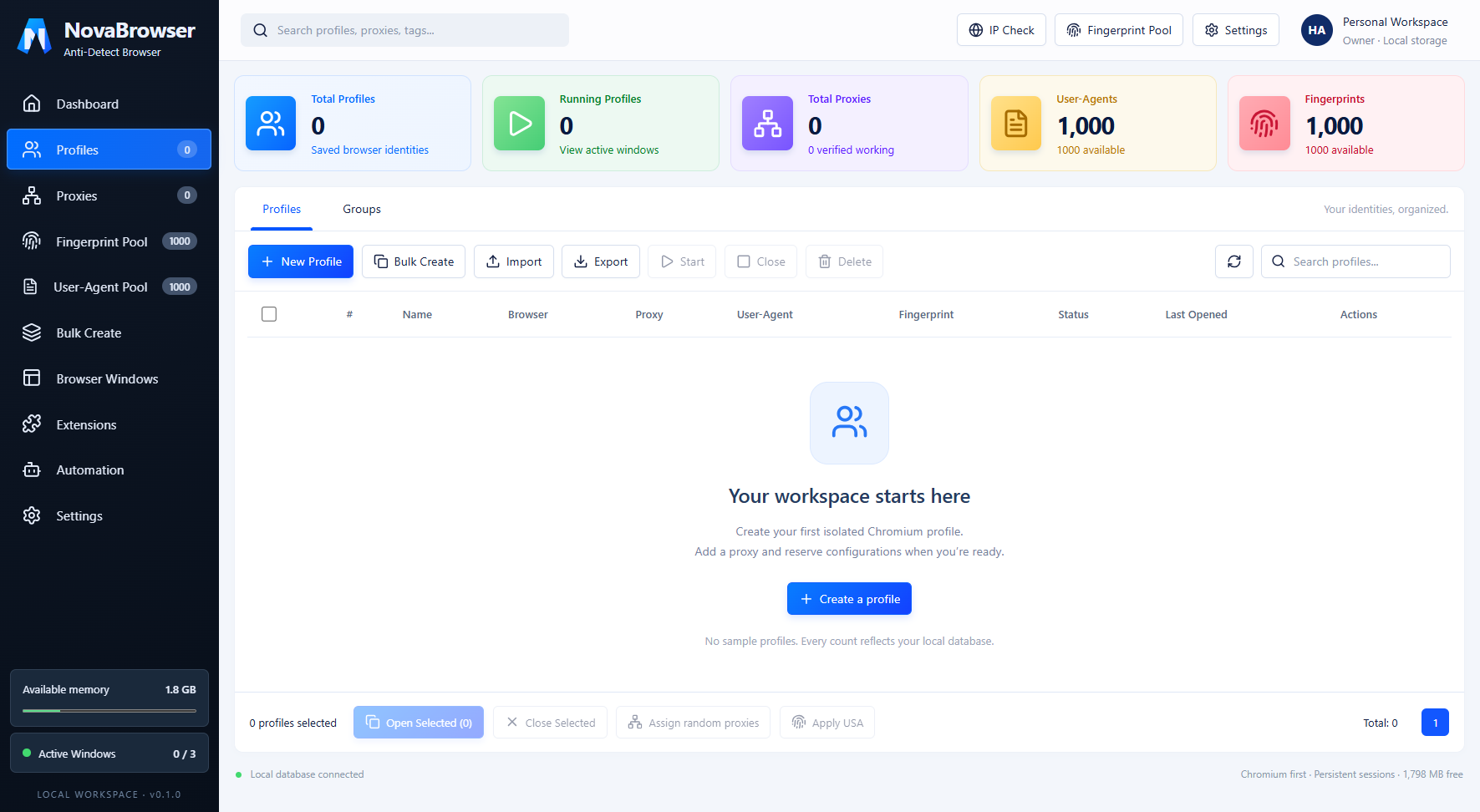
Desktop interface preview. Your own workspace starts without someone else’s profiles or credentials.
Separate browser processes and persistent storage keep each profile’s cookies and startup tabs together. Open only the profiles you select.
Assigned proxies must pass IP verification before a profile opens. Failed checks block launch. Proxies from any country are supported. Direct connections are a separate, explicit choice.
Build workflows for navigation, clicks, forms, waiting, scrolling and screenshots. Save drafts and attach a workflow to a profile.
FROM DOWNLOAD TO DESKTOP
No cloud workspace to configure. Install the app, then add your own profiles and proxies.
Choose the setup installer, or the portable ZIP if you prefer to run without installation.
Run the setup file. For the portable version, extract the entire ZIP and open NovaBrowser.exe. Keep its files together.
Check your own proxy, assign it to a profile, then open the profile. Inspect the IP & Location tab before browsing.
READY WHEN YOU ARE
NovaBrowser 0.6.1 · Windows x64
This development build is unsigned. Review the source and only run downloads you trust. Proxy service is not included.
View download checksumsExisting user? Close browser profiles and export a full backup before upgrading.
A FEW THINGS TO KNOW
This website provides the download. NovaBrowser itself runs as a Windows desktop application on your computer.
No. The download contains the application. You add your own profiles, proxy credentials and workflows. Your local data is not bundled into the public download.
A profile with an assigned proxy is blocked if launch verification fails or the verified IP changes between launch checks. Proxies from any country are allowed. It does not switch itself to Direct mode. An IP location does not guarantee advertisements from that country or identical search results: website accounts, cookies and other signals can affect what you see.
Start with a small number of browser windows. The default launch limit is three, and new launches stop when available memory drops below 700 MB. Performance depends on your computer and the websites you open.
Use Settings → Export full backup, then restore it on the other PC with your backup password. Some websites may require you to sign in again.
Extension installation, Edge and Firefox engines, and full CSV/Excel profile imports are not included. Fingerprint controls cover supported screen, locale and timezone settings; they do not guarantee undetectability.